Windows 11's default typing personalization setting logs every unfamiliar word you type
A hidden feature collects your custom dictionary locally and sends typing samples to Microsoft servers without explicit user consent.
What to know
- Windows 11 collects every unfamiliar word you type by default through "Inking & typing personalization," storing them in a plain-text file anyone with account access can read.
- A second default toggle sends typing and handwriting samples to Microsoft's servers; Microsoft claims it removes identifiers but typing fragments still reach their systems.
- Both features remain enabled even after users select maximum privacy restrictions during Windows setup, with no explicit notification.
- Users can disable collection and delete accumulated data through Privacy & security settings, though this removes predictive typing and handwriting recognition features.
“The name suggests pen and touchscreen input, so anyone who's never picked up a stylus would just scroll past it. But it runs on every keyboard your PC recognizes.”
MakeUseOf · MakeUseOf article ↗
How it unfolded 2 developments, newest first · click a bar or a number to jump articlesposts
-
1
Article details how to disable both typing collection features
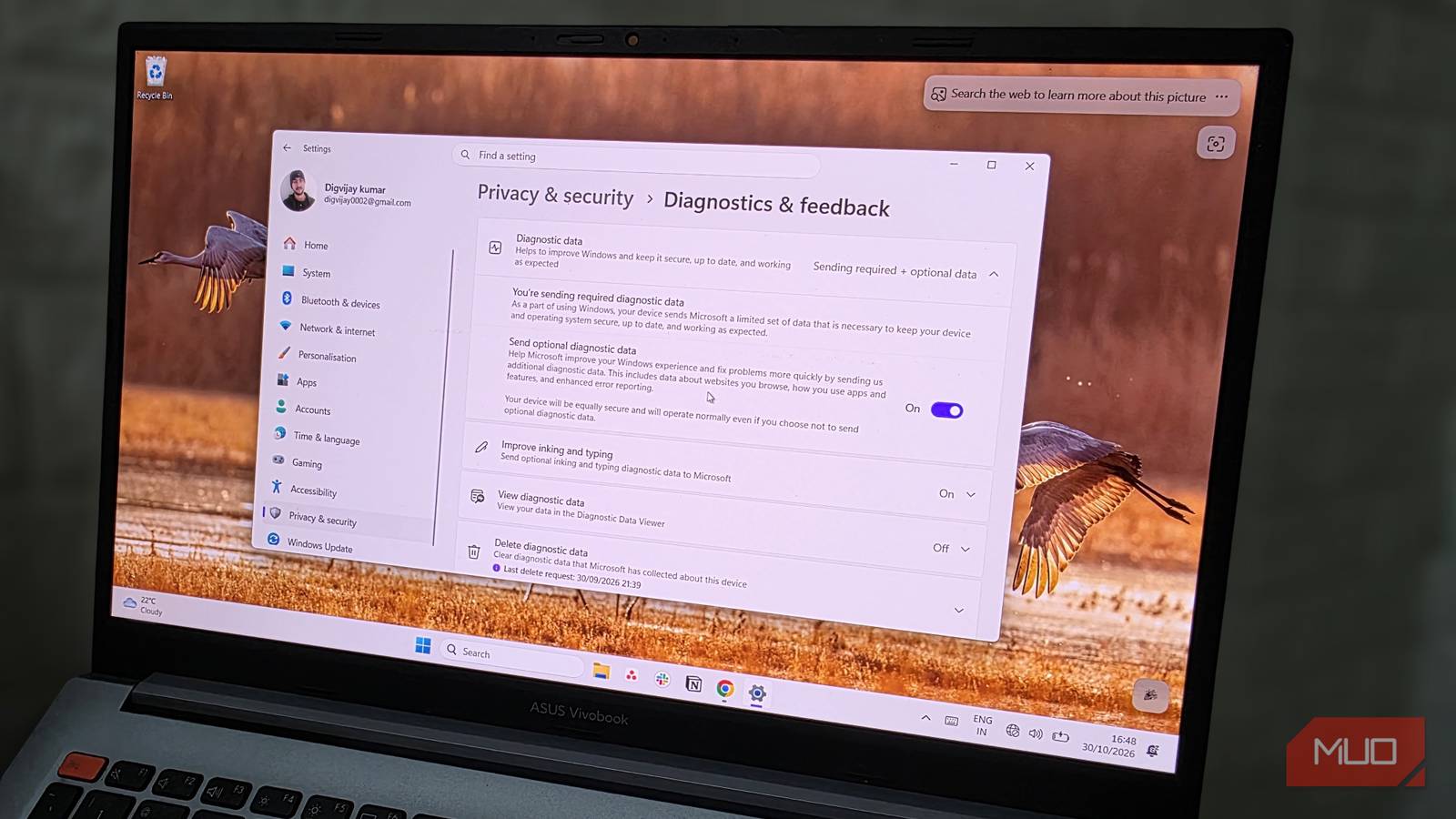
MakeUseOf provides step-by-step instructions for disabling the "Customized inking and typing dictionary" toggle under Privacy & security to stop local collection, and the "Improve inking and typing" toggle under Diagnostics & feedback to stop sending data to Microsoft. The article notes that disabling these features removes suggestion functionality but previously collected data persists unless manually deleted.
-
 D
For those folks who use # Windows11 ... Your Windows 11 PC is quietly recording what you type because of one default setting https://www. makeuseof.com/windows-pc-quiet ly-recording-what-you-type-default-setting/ # SolarPunkSunday # InfoSec # Computers # Privacy # TechTips
-
-
background
Second setting sends typing samples to Microsoft servers — The article reveals a second toggle under "Diagnostics & feedback" called "Improve inking and typing" that sends samples of user typing and handwriting to Microsoft's servers. Microsoft states it strips identifiers, email addresses, and numeric values, but fragments of typed text still reach Microsoft's servers.
-
2
MakeUseOf reports Windows 11 logging words to local dictionary by default
MakeUseOf publishes an investigation revealing that Windows 11's "Inking & typing personalization" setting logs every unfamiliar word typed on the system into a plain-text file (default.dic) stored in the user profile folder. The setting runs by default and persists even after users select restrictive privacy options during setup.
“There's a setting in Windows 11 that has been quietly logging words it doesn't recognize since the day you set up your PC. Everything gets saved to a file on your hard drive, and nothing about it alerts you that it's running.”
— MakeUseOf